NEWSIGNAL COMMAND  |  PICTURE WATCH

Your camera can be online and still be useless. Now we can tell.

Most monitoring tells you a camera is online. Picture Watch tells you it can still see. It checks every camera's picture against its own history and, the moment one fades, hands you the proof.

THE PROBLEM, AND THE FIX

Every dashboard said healthy. The picture had gone bad.

THE PROBLEM

Security said a vehicle-gate camera at a test site looked terrible at night. Every dashboard said it was healthy: online, recording, network clean. Only the picture had gone bad, and nothing watched the picture.

THE FIX

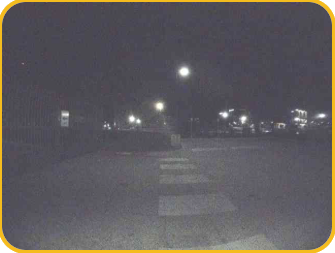
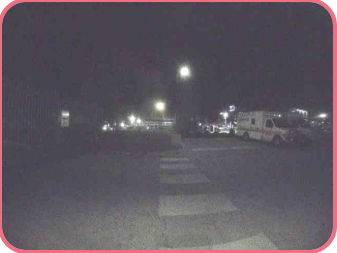
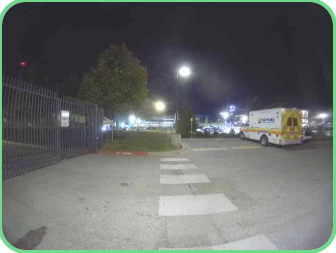
Picture Watch compares each camera with its own past, at the same hour on earlier days. When a picture clearly and lastingly drops, Signal Command opens an incident and attaches the evidence itself: Good, Degraded and Bad in one row.

GOODVehicle gate camera at night, sharp and well exposedSep 29, 8 PM: a healthy night
DEGRADEDSame camera, same hour, dim and grainyOct 3, 8 PM: where it starts to drop
BADSame camera, same hour, hazy and washed outOct 23, 8 PM: the latest night
WHAT WE SAW

One real fault. 93 quiet cameras.

94cameras checked across three venues
1flagged: the camera that was actually broken
0false alarms on the other 93
13 daysearlier than Security noticed
3 minto check a whole site in the Assessment
WHAT YOU GET

Evidence, not a hunch.

Catches quiet failures

Haze, grain, a fogged dome: online and recording, but not seeing.

Evidence, not a hunch

Three dated pictures in the incident, for the client or for the camera maker.

Nothing new to set up

It uses the camera connection Signal Command already has.

In the Assessment

A new site gets the answer on day one, in about three minutes.

Most monitoring tells you a camera is online. Picture Watch tells you it can still see.
HOW IT ACTUALLY WORKS

Five steps. Plain statistics, no video.

For when your IT or security lead asks. Security first, then the rules.

1 · SAMPLE

Read one still

Four times a day (2 AM, 8 AM, noon, 8 PM, site time) it reads one low-resolution still per camera from Verkada.

2 · SCORE

Measure it

The picture is decoded in memory and measured: brightness, tonal range, edge sharpness. Then it is dropped.

3 · COMPARE

Against its own past

Each hour is compared with the same camera at the same hour on earlier days, not with a fixed standard.

4 · CONFIRM

Make sure it's real

A drop must persist over several days and show at two hours. Dark scenes are not judged.

5 · HAND OVER

Open the incident

Only then: an incident with three labelled frames. It reopens, not duplicates, if it comes back.

SECURITY AND PRIVACY

Read-only. One small still. Nothing stored unless it is a confirmed fault.

Read-only accessOne request: the historical low-resolution thumbnail, with only a camera id and a time. It refuses anything else: no footage, streams, live view or share links. Nothing is ever written to a camera or other equipment.
What is storedNormal pictures: nothing (scored in memory, then dropped). Four numbers per camera per sample, kept 90 days. A picture only after a confirmed lasting drop: three labelled frames on the incident, deleted 30 days after it resolves.
Who can seeSignal North staff and that client's own users, never another client. Pictures are served as private and sandboxed, and every view is written to an audit log.
ControlsRuns only for a client where it has been switched on. The look-back is limited to staff with the Admin role and is audit-logged. Sign-in needs two-step verification.
AI and third partiesNo AI model and no outside company sees a picture. Scoring is plain statistics on our own servers, so every result can be explained.
Privacy notePictures can show people and are not blurred. Client users, Viewers included, can see them.
WHAT IT READS AND KEEPS

Small by design.

ReadsOne thumbnail per camera per sample (about 800 a day for 200 cameras). Verkada cameras on the United States service only.
Keeps (numbers)Four numbers per sample, 90 days. Verkada holds about 29 days of thumbnails, so these numbers are the long memory.
Keeps (pictures)Only the 3 frames on a confirmed incident; 30 days after resolve. None for cameras that pass.
In the AssessmentA quick comparison: every second day for 28 days at 2 AM and 8 PM, 3-minute limit. Stores nothing.
THE RULES AND NUMBERS

Explainable, not a black box.

BaselineThe camera's own earliest stored days (median of 4). At least 7 days of history first.
A day is lowContrast under 60%, tonal range under 70% and sharpness under 85% of baseline, together.
Dark guardA night under half the baseline brightness is not judged: lights off is not a fault.
Confirmed3 low days in a row, still low (3 of the newest 5), and two hours agree.
ReopenA closed incident reopens only if the picture recovered and dropped again within 7 days.
STRAIGHT ANSWERS

What your IT team will want to know.

Does it record or stream video?No. One still image per check.
Does it use AI?No. It is contrast and sharpness statistics, so it can be explained and audited.
What about dark scenes or bad weather?Dark nights are skipped, and a fault must show at two hours for days. Weather-aware baselines are not built yet.
How often does it false-alarm?None on the other 93 cameras at three venues. Only one real fault so far.

See Picture Watch on your cameras.

Start with a conversation. If it's a fit, we run a free network assessment live with you and show you what Signal Command finds.

Book a conversationFree network assessment follows. No charge.chris@wallewtech.com